Where does the filter connect?
The interface path and gate-node detail are reported by GAMES.GG’s October 17 guide. Frontier’s aquarium feature confirms that the water-filter network supplies the aquarium and the staff gate provides access and temperature controls. Menu placement can change with platform or updates.
- Find the Aquarium Staff Gate in the aquarium barrier and confirm it has a usable staff path.
- Select the Water Filter under Facilities → Utilities and open Edit Filtration Network.
- Link the filter’s connection node to the node on the Aquarium Staff Gate. Clicking the glass wall is not the same connection.
- Check that both the filter and aquarium controls have power, then read the network status again.
Connected but still insufficient: what to check next
Change one condition at a time and reread the panel. After enlarging the aquarium or changing its residents, check demand again instead of relying on the old setup. This guide does not invent a universal filters-per-litre rule.
| What you see | Check next | What not to assume |
|---|---|---|
| No connected network | Follow the connection back to the staff-gate node | A filter placed next to the tank is not necessarily connected |
| No power | Check the filter and aquarium power status | More unpowered filters will not solve it |
| Filtration below demand | Compare output and demand in the current network panel | A fixed filter count works for every tank |
| Only one tank changes after an edit | Inspect which tanks actually belong to that network | All nearby tanks share the same network |
Do not solve a water-type mismatch with extra filters
A working network still needs the correct salinity for its animals. Use the water-condition guide to compare the species first, and keep conflicting water settings on separate networks. The aquarium planner shows whether the official ranges overlap.
Clean water and staff cleaning are separate checks
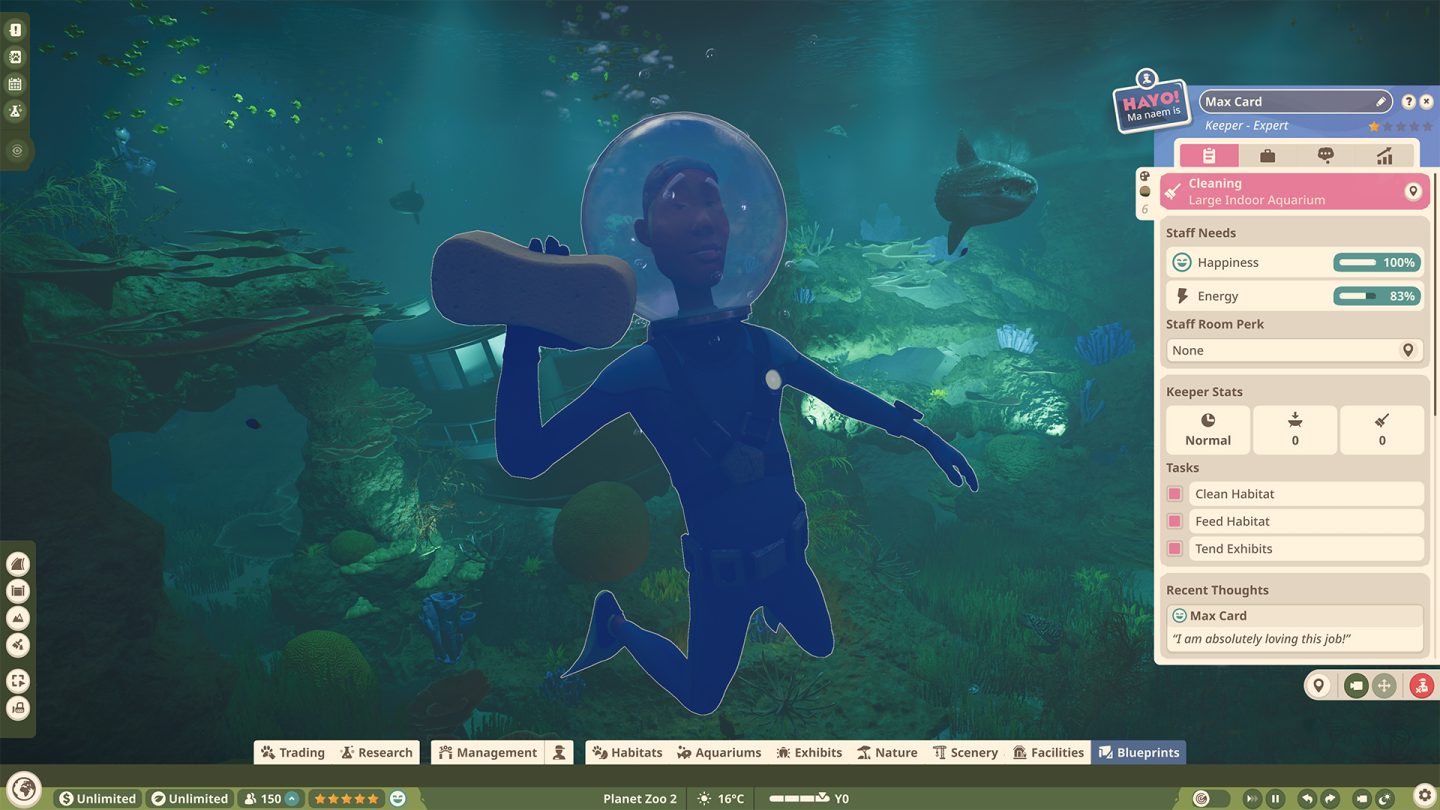
If the water problem clears but the aquarium remains dirty, move to the tank-cleanliness checklist. A filter connection does not establish that a keeper can reach and clean the aquarium. Use the staff panel to inspect the current task rather than treating every cleanliness issue as a filter problem.
Sources & verification
- Planet Zoo 2 news: “Creature Feature: Aquariums”, July 30, 2026Official · 2026-10-11
- GAMES.GG — aquarium connection and cleanliness interface guide, October 17, 2026Media coverage · 2026-10-18
- Planet Zoo 2 on YouTube: “Sandbox Gameplay Showcase” (1:07:46), August 28, 2026Official · 2026-10-11